
Shopify Post Purchase Emails That Earn the Second Order
The five post purchase emails that earn a Shopify store its second order, with Klaviyo triggers, timing rules and what to put in each.
 Haroon Ali ShahOctober 30, 2026 · 9 min read
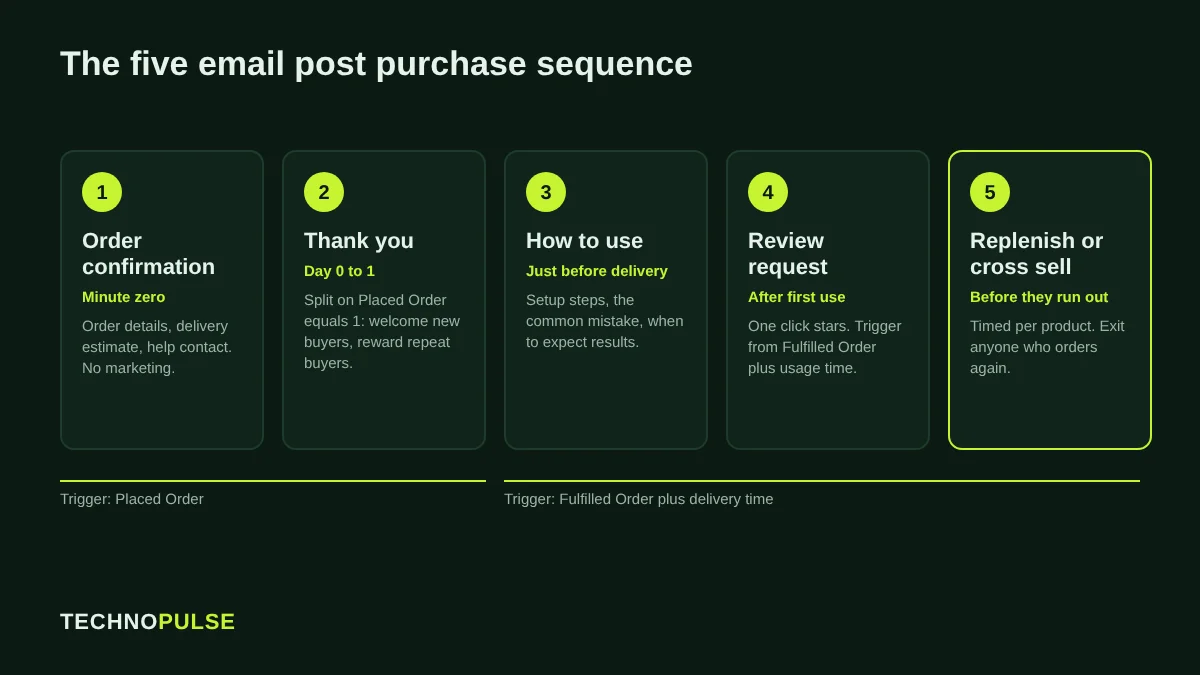
A Shopify post purchase email sequence is the set of automated messages a customer gets after the order, built to make the first order arrive well and to earn the second one. The stores that do it well send fewer, better timed emails: an order confirmation that carries one useful next step, a thank you that splits first time and repeat buyers, a how to use email before delivery, a review request after delivery, and a replenishment or cross sell email timed to when the product runs out.
Most DTC founders spend their energy on getting the first order. That makes sense on a launch, but by year two the cheapest revenue in the store usually sits with people who already bought once. This guide shows the exact sequence we build for Shopify brands, the Klaviyo setup behind it, and the mistakes that quietly cost repeat orders.
Why the second order matters more than the first
The first order proves your ads and product page work. The second order proves the product works. A customer who comes back without a discount code is the signal that your margin, your reviews and your word of mouth will hold up when ad costs rise.
Post purchase messages are also the most read emails a store sends. Omnisend’s 2026 Ecommerce Marketing Report found that order confirmation emails averaged a 53.99 percent open rate in 2025, with a 1.10 percent conversion rate and about 1.60 dollars of revenue per email sent. Klaviyo’s own post purchase flow guide says its research shows post purchase messaging gets a 217 percent higher open rate, over 500 percent higher click rate and 90 percent more revenue per recipient than the average campaign.
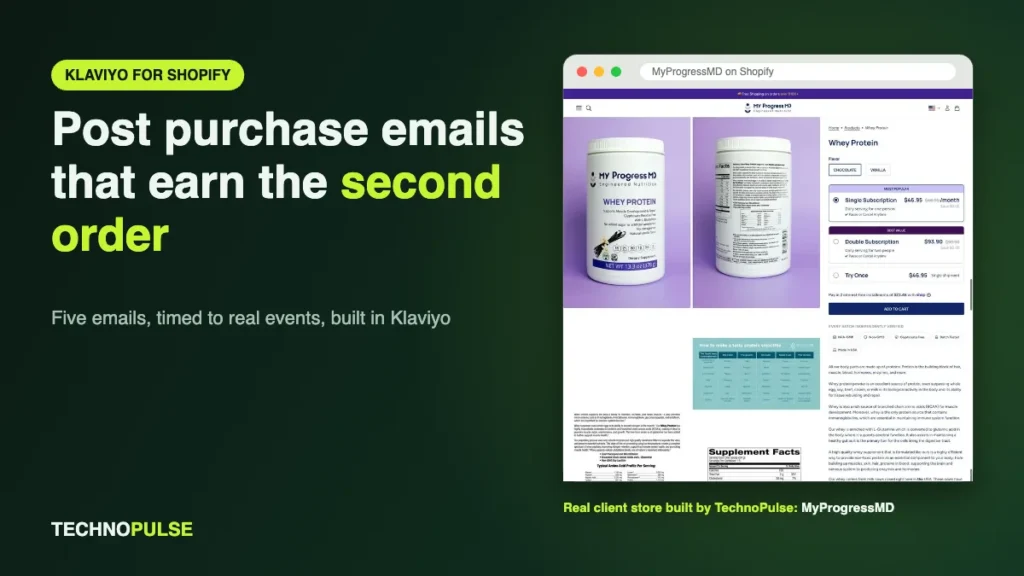
We see the same pattern with clients. In our MyProgressMD case study, a physician led supplement brand, the returning customer rate averaged 85 percent from March to August 2026, after we matched Klaviyo replenishment timing to how long each program lasts.
The five emails in a strong post purchase sequence
You do not need fifteen emails. You need five that each do one job, sent at the moment the customer is ready for that job.
1. Order confirmation (minute zero)
This is a transactional email. In Shopify it lives under Settings, Notifications, and Klaviyo’s guidance is clear that transactional emails should not carry marketing content. Keep the order details, delivery estimate and support contact at the top. You can still help the customer: add one line on what happens next, a link to the order status page and, if your product needs it, a link to a getting started page.
What to avoid: a big discount block for the next order. The customer has not received the first one yet, and you are training them to wait for codes.
2. Thank you, split by new and repeat buyers (day 0 to 1)
Klaviyo recommends a conditional split on Placed Order equals 1 over all time. First time buyers get a short welcome to the brand: who you are, why the product is made the way it is, and where to get help. Repeat buyers get thanks for coming back and, if you run one, their loyalty points balance.
Send this as plain as you can. A short note signed by the founder, with no product grid, often gets more replies than a designed email. Replies are useful: they tell you what customers worry about before the box arrives.
3. How to use it (timed to arrive just before delivery)
This is the email most stores skip and the one that does the most for the second order. If the product is used wrong, the customer blames the product. Klaviyo’s guide suggests timing instructions to land just before delivery. Use your real average time from order to delivery, not a guess. Pull it from Shopify fulfillment data or your 3PL.
Good content for this email: a 60 second video or three images showing setup, the one mistake new customers make, and how long until they should expect results. For supplements and skincare, that last point stops people quitting in week two.
4. Review request (after delivery, once they have used it)
Ask too early and you get “has not arrived yet” reviews or no reply. Trigger this from Fulfilled Order rather than Placed Order, then wait long enough for the customer to use the product. A coffee or candy brand can ask after about a week. A mattress or a 30 day supplement program needs longer.
Make the ask one click. Most review apps on Shopify (Judge.me, Okendo, Yotpo, Klaviyo Reviews) support in email star ratings, so the first tap records the score.
5. Replenishment or cross sell (timed to the product)
This is where the second order is won. For consumables, send a reminder a few days before the average customer runs out. For durable products, recommend the logical next item: the case after the phone, the rain fly after the tent.
Klaviyo’s cross sell guidance uses Fulfilled Order as the trigger, with a profile filter of Fulfilled Order zero times since starting this flow so a customer who buys again leaves the flow, and a default send 14 days after fulfillment. Treat that 14 days as a starting point, then move it to match your own reorder data.
How to set up post purchase emails in Klaviyo for Shopify
Here is the build we use. It assumes the Klaviyo Shopify integration is connected and syncing orders.
- Turn on Shopify notifications you want to keep. In Shopify admin go to Settings, Notifications, and decide which transactional emails Shopify sends (order confirmation, shipping confirmation) and which Klaviyo sends. Do not send both, or customers get two confirmations.
- Create the thank you flow. Trigger: Placed Order. Add a conditional split on Placed Order equals 1 over all time. Build the first time branch and the repeat branch. Add an order value split if you want a VIP message for big orders.
- Create the delivery flow. Trigger: Fulfilled Order. Add a time delay based on your real delivery time, then the how to use email.
- Create the review flow. Trigger: Fulfilled Order. Delay by delivery time plus usage time. Add the review email from your review app.
- Create replenishment or cross sell. Trigger: Fulfilled Order, with a trigger filter on product or collection so each product gets the right timing. Add the profile filter Fulfilled Order zero times since starting this flow. Use a product feed that excludes items already bought.
- Turn on Smart Sending for marketing emails in these flows so a customer in three flows at once does not get three emails in a day.
- Check consent. The thank you, how to use and review emails can be mostly service messages, but the cross sell is marketing and should only go to people who agreed to receive it in their region.
If you want this built and tested for you, our Klaviyo email marketing service for Shopify covers the full flow stack, including post purchase. To see how your flows compare, check our Klaviyo flow benchmarks for 2026.
Timing: the part most stores get wrong
A post purchase email sent at the wrong time is worse than no email. The usual mistakes are a review request that lands before the parcel, a cross sell that lands the same day as the order, and a replenishment reminder that lands after the customer already reordered on Amazon.
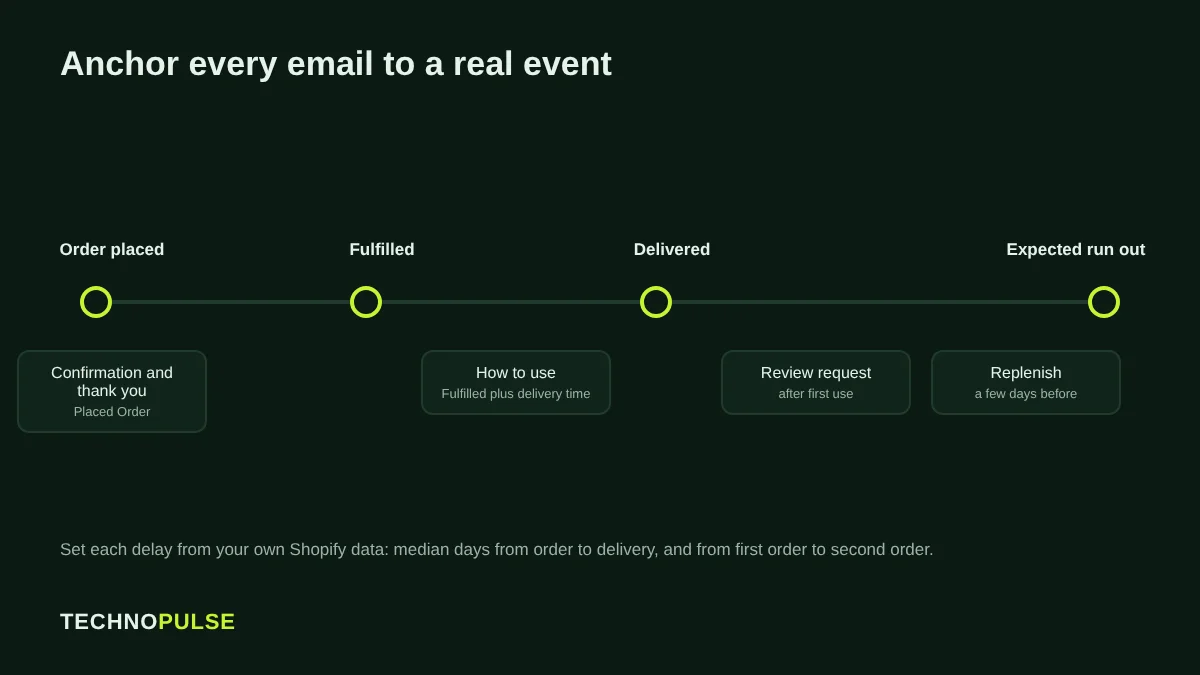
Three rules fix most of it:
- Anchor to the right event. Thank you emails anchor to Placed Order. Everything about using the product anchors to Fulfilled Order, plus delivery time.
- Use your own numbers. Find your median days from order to delivery and from first order to second order in Shopify reports. Set delays from those, not from templates.
- Exit people who already bought. Every flow that sells should drop the customer as soon as they place another order.
What to put in each email
| One job | Include | Leave out | |
|---|---|---|---|
| Order confirmation | Reassure | Order details, delivery estimate, help contact, order status link | Discount codes, product grids |
| Thank you | Welcome | Founder note, why the product exists, reply prompt | Hard sell |
| How to use | Make it work | Setup steps, the common mistake, when to expect results | Unrelated products |
| Review request | Collect proof | One click stars, a photo prompt | Long surveys |
| Replenishment or cross sell | Earn order two | The right product at the right time, easy reorder link | Random bestsellers |
How to measure whether it works
Open rates are not a good guide since Apple Mail Privacy Protection inflates them. Look at these instead:
- Repeat purchase rate for customers who entered the flows, compared with before you launched them. Shopify’s customer reports show returning customer rate.
- Time to second order. If the replenishment email works, the median days between order one and order two should drop or hold steady with fewer discounts.
- Placed order rate and revenue per recipient for each flow in Klaviyo. Compare against your own campaigns. Klaviyo’s 2026 email benchmarks put a good flow click rate at 5.58 percent against 1.69 percent for campaigns.
- Review volume and rating per month after the review flow goes live.
- Support tickets about “how do I use this”. The how to use email should cut them.
If you also lose customers before the first order, fix that leak first. Our guide to Shopify abandoned checkout emails covers the recovery side, and the Shopify CRO checklist covers the store itself.
Common mistakes that cost the second order
- A discount in every email. It teaches customers to wait. Save offers for a win back flow for people who have not bought in a long time.
- The same sequence for every product. A 30 day supplement and a tent need different timing. Use trigger filters by product or collection.
- Duplicate confirmations from Shopify and Klaviyo at the same time.
- Cross selling what they just bought. Exclude purchased items from product feeds.
- Never reviewing the flows. Products, shipping times and prices change. Check timing and links every quarter, and before Black Friday. Our Shopify Black Friday checklist includes this step.
Running a Black Friday sale? Read what to change in your Klaviyo flows before BFCM so post purchase emails do not collide with campaign sends.
Frequently asked questions
What is a post purchase email?
It is any automated email a store sends after an order is placed, from the order confirmation through to delivery, review and reorder reminders. Its goal is to make the first order a good experience and lead to the next one.
How many post purchase emails should a Shopify store send?
Most stores do well with four or five across the first few weeks: confirmation, thank you, how to use, review request and a replenishment or cross sell email. Add more only if each one has a clear job.
When should I send a review request after purchase?
After the customer has received the product and had time to use it. Trigger from Fulfilled Order and add your delivery time plus a usage period that suits the product.
Should post purchase emails include a discount?
Usually not. Helpful content and good timing earn the second order without training customers to wait for codes. Keep discounts for win back emails.
Can I build post purchase emails without Klaviyo?
Yes. Shopify Messaging and most email apps support order based automations. Klaviyo gives you more control over splits, filters and product feeds, which matters once you have several products with different reorder times.
Want us to check your post purchase flows?
TechnoPulse is a Shopify Partner and Klaviyo Partner that has helped 200+ DTC brands since 2021. We will look at your current flows, timing and repeat purchase data and tell you where the second order is leaking. Claim your free store audit.
Related guides

Founder and CEO of TechnoPulse. Leads Shopify development, CRO and growth strategy for DTC brands in the US, Europe and Australia.
More about Haroon