
Shopify Session Update 2026: Why Your Data Changed
Shopify changed how it counts sessions on 21 to 23 September 2026. Here is what moved, what did not, and how to rebaseline your conversion rate before Black Friday.
 Haroon Ali ShahOctober 27, 2026 · 9 min read
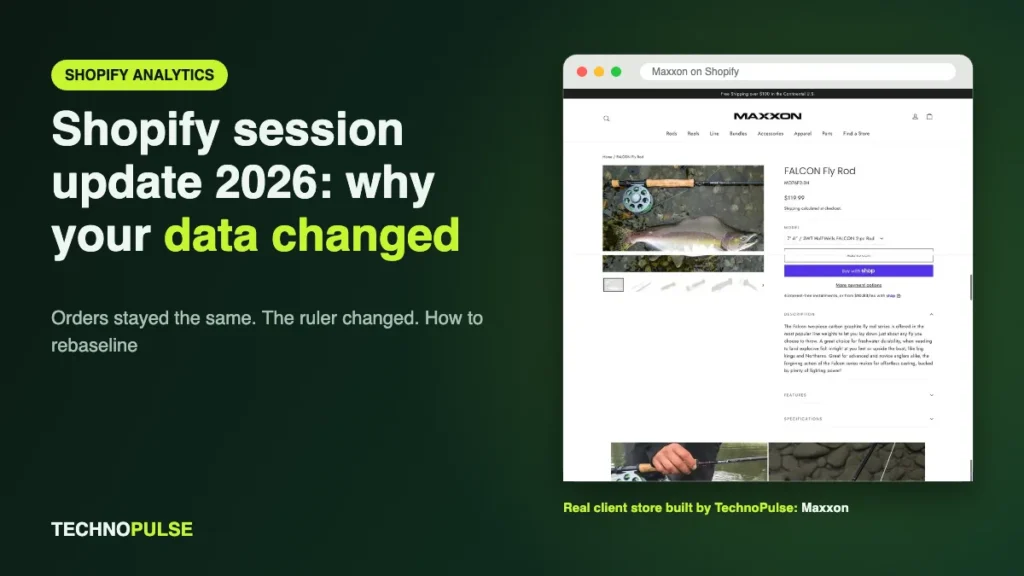
Shopify changed how it counts sessions between 21 and 23 September 2026: sessions now end after 30 minutes of inactivity instead of splitting at midnight UTC, some visits without a pageview now count, and identified bots are filtered out by default. Your orders and sales did not change, but every metric divided by sessions did, so your conversion rate now sits on a new baseline.
If your conversion rate jumped or dropped in late September and nobody touched the store, this is almost certainly why. The risk is not the change itself. The risk is a founder cutting ad spend, killing a winning test or panicking a team over a number that only moved because the ruler changed. This guide explains what Shopify changed, how to confirm it is the cause on your store, and how to rebaseline your numbers before Black Friday.
Key takeaways
- The update rolled out from 21 to 23 September 2026 and changes how Shopify Analytics counts sessions, not how many people visit.
- Orders, sales and customer counts are not affected. Sessions, conversion rate, add to cart rate, reached checkout rate, bounce rate and visitors are.
- Conversion rate can move either way: bot filtering tends to raise it, newly counted sessions without a pageview tend to lower it.
- Do not compare session based metrics across 21 September. Build a new baseline from full weeks after the update.
- For year on year Black Friday reporting, compare orders, sales and order value, and use a tool whose definitions did not change as your bridge.
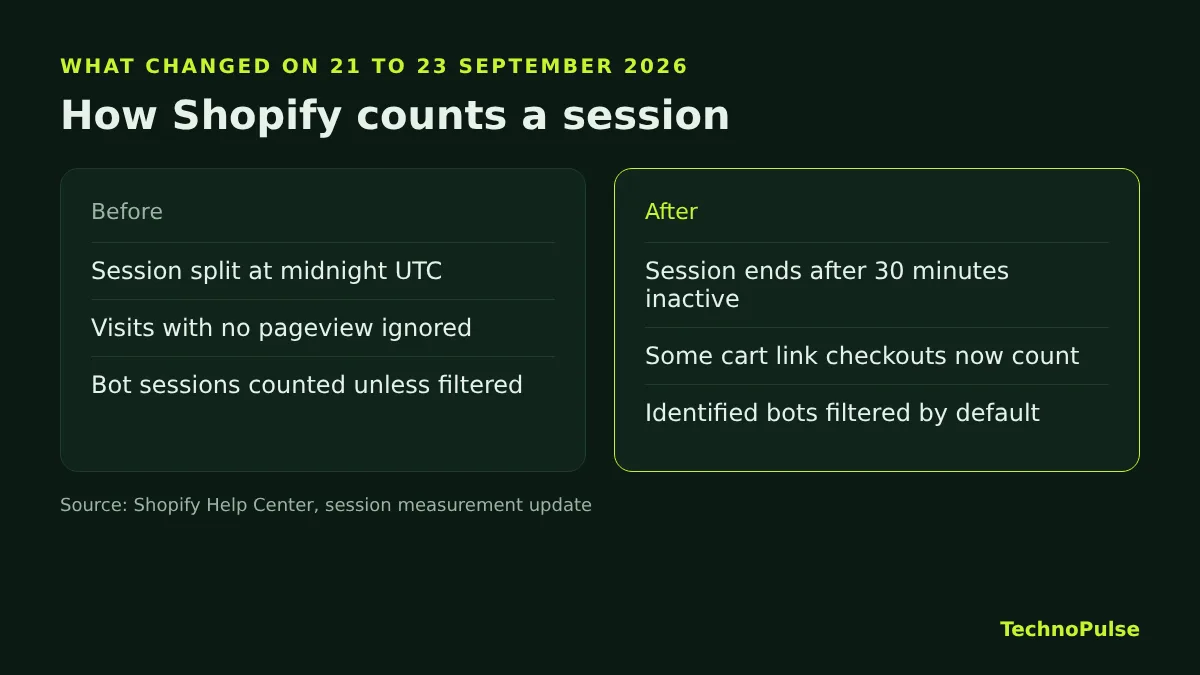
What Shopify changed in September 2026
According to Shopify’s Help Center article on the session measurement update, three things changed in how a session is defined and counted.
1. Sessions follow the shopper, not the clock
Before the update, a session was cut at midnight UTC. A shopper browsing from 11:50 pm to 12:10 am UTC counted as two sessions. Now a session continues while the customer stays active and ends after 30 minutes of inactivity. For stores selling into the US, midnight UTC falls in the US afternoon and evening, which is prime shopping time, so this split happened more often than most founders realise.
The new rule is close to how Google Analytics 4 works. Google’s GA4 documentation also ends a session after 30 minutes of inactivity by default, so Shopify and GA4 session counts should sit closer together than they did before.
2. Some sessions without a pageview now count
A customer who clicks a cart link in an email or text and lands straight in checkout never loads a storefront page. Shopify used to drop those visits from session counts. It now counts some of them. That adds sessions, and because many of these visitors are already ready to buy, it changes the mix of sessions in your reports too.
3. Bots are filtered out by default
Identified bot sessions are now removed from session related reports by default. Shopify first added a Human or bot session filter in October 2025 (see the Shopify changelog), and the September 2026 update makes human only the default view. Two details matter for your reporting:
- Bot classification only applies to sessions from 7 October 2025 onward, so older data cannot be filtered the same way.
- The home page dashboard and Live View always show bots filtered out. You cannot switch the filter off there.
Shopify’s changelog entry for the update is clear on the main point: session metrics may look different, but that does not mean traffic, orders or customer behaviour changed.
Which metrics moved and which did not
Anything calculated from sessions is affected. Anything counted from orders is not. This is the single most useful thing to understand, because it tells you which numbers you can still trust across the date.
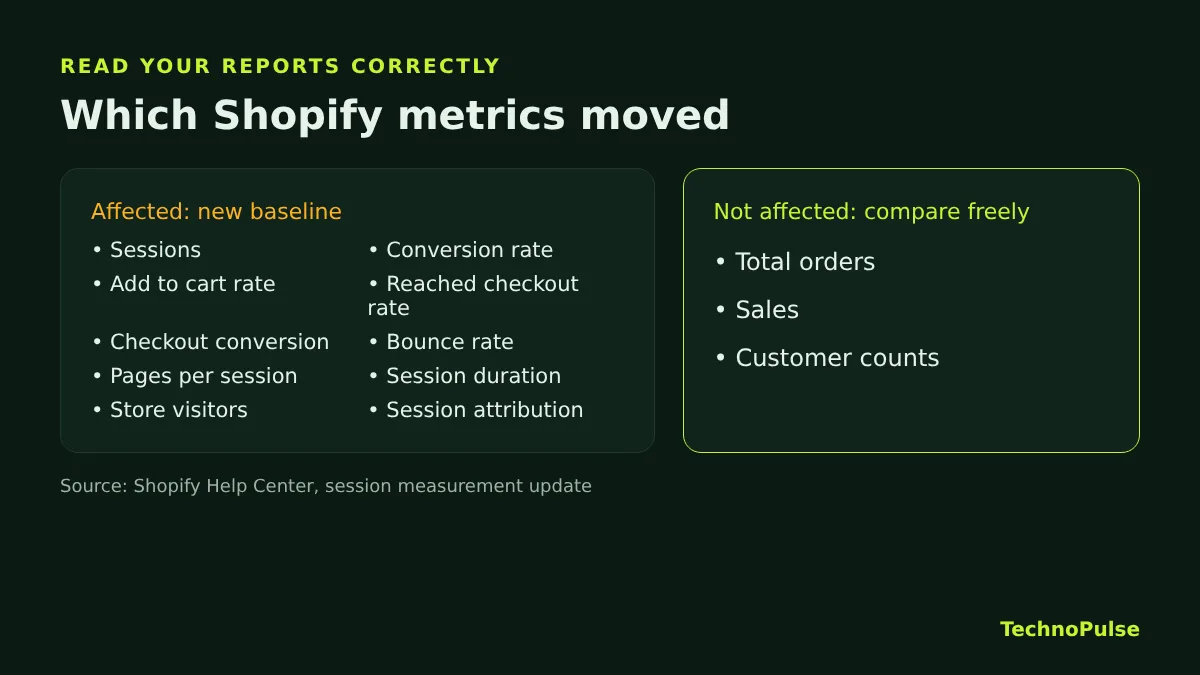
Affected: sessions, conversion rate, add to cart rate, reached checkout rate, checkout conversion rate, bounce rate, pageviews per session, average session duration, online store visitors, and any metric that attributes orders or customers to sessions. That includes the Acquisition, Behavior and Marketing reports, search and product recommendation reports, custom reports built on session data, and apps that pull session data from Shopify Analytics.
Not affected: total orders, sales and customer counts.
So if your conversion rate went from 2.1 percent to 2.6 percent in the last week of September while orders stayed flat, your store did not suddenly get better. The denominator shrank.
Why your conversion rate went up or down
Conversion rate is orders divided by sessions. The update pushes the session count in two directions at once, and which force wins depends on your traffic:
- Conversion rate tends to rise on stores with a lot of bot traffic, because sessions that never bought anything disappear from the denominator. Stores that get scraped heavily or attract bot traffic from overseas regions usually see this.
- Conversion rate tends to fall on stores that send a lot of email and SMS traffic straight to checkout, because those visits are now counted as sessions.
- Sessions drop a little on stores with heavy evening US traffic, because visits that crossed midnight UTC are now one session instead of two.
Shopify itself says to treat the new figures as a new baseline, not as a sign of good or bad performance. We agree, and we would go one step further: do not make a single budget or test decision from a session based metric that spans 21 September.
How to confirm the update caused your change
This check takes about 15 minutes in the Shopify admin. Do it before anyone changes ad budgets or calls a test.
- Anchor on orders and sales. On the Analytics overview, compare total orders, net sales and customers for the two weeks before 21 September and the two weeks after 23 September. If these held steady while sessions or conversion rate moved, the update explains the gap.
- Measure your old bot share. In Analytics, Reports, open a sessions report such as Sessions by device. Pick a range before the update but after 7 October 2025, and add Human or bot session as a dimension. The bot share you see is roughly how much of your old session count disappeared. If bots were 30 percent of sessions, a conversion rate lift of around 43 percent is pure arithmetic, not performance.
- Check cart link traffic. If you run abandoned checkout emails, SMS or influencer cart links, look at how many orders come from those sources. The more you have, the more new sessions without a pageview you gained.
- Compare like with like. When you compare two periods in reports that offer the Human or bot filter, set the same filter value for both. Shopify calls this out in its own guidance.
- Rule out a real tracking problem. If orders also dropped, the update is not your answer. Check consent banner changes, theme edits and app installs from the same week. Headless and Hydrogen storefronts can behave differently, and Shopify has separate guidance on session cookie rotation for stores that received a storefront message.
How to rebaseline before Black Friday
Black Friday falls on 27 November 2026. Your team will want to compare it with last year, and your session based numbers cannot do that honestly any more. Here is the process we use with clients.
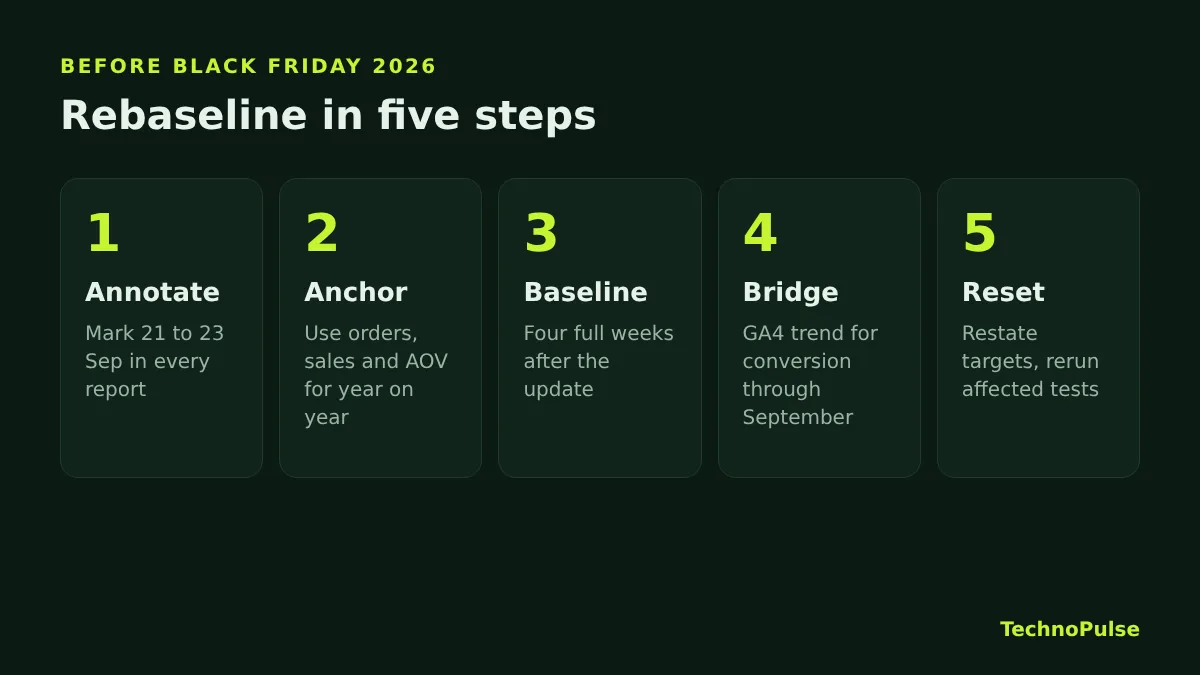
Step 1: Annotate the date everywhere
Add a note for 21 to 23 September 2026 in every place your team reads numbers: Shopify reports you share, Looker Studio dashboards, weekly report templates and investor updates. One line is enough: session based metrics after this date use a new method.
Step 2: Use order based metrics for year on year
For Black Friday and Cyber Monday against last year, lead with orders, net sales, average order value, new versus returning customers and revenue per customer. None of these changed with the update, so they compare cleanly across years.
Step 3: Build a new four week baseline
Take four full weeks after the rollout, for example Monday 28 September to Sunday 25 October 2026. Full weeks keep the weekday mix fair. Record your new conversion rate, add to cart rate and reached checkout rate, split by device, and use these as the starting point for every test and target from now on. Our guide to a good Shopify conversion rate explains which benchmarks still make sense under the new method.
Step 4: Use a bridge for conversion trends
If you need a conversion rate trend that runs through September, use a tool whose definitions did not change on that date. GA4 is the obvious choice for most stores, with one caution: consent settings and ad blockers mean GA4 never sees every visit, so read it as a trend line, not as a replacement for Shopify’s numbers.
Step 5: Reset targets and tests
Any target set before September in terms of conversion rate needs restating on the new baseline. Any A/B test that ran across 21 to 23 September should be judged on the testing tool’s own data or on orders and revenue per visitor, not on Shopify session metrics. If a test was read on Shopify’s numbers, run it again.
What this does not change
A few things stay exactly as they were, which is worth telling your team so nobody chases ghosts:
- Your ad platforms. Meta and Google count their own clicks and conversions through their own tags. Judge ad performance there and on orders, not on Shopify sessions.
- Your email revenue. Klaviyo attributes revenue with its own tracking, so flow and campaign revenue are unaffected. The only knock on effect is that cart link clicks from those emails now show up as Shopify sessions.
- Your real funnel leaks. If shoppers were dropping at checkout before, they still are. The update changed the measuring tape, not the store. Our Shopify CRO checklist and our guide to abandoned checkout emails still apply.
The opportunity hiding in the update
Cleaner data is good news once you have rebaselined. Bot filtered sessions give you a truer view of how real shoppers move through your store, and that makes funnel work sharper. When we rebuilt the store and funnel for an outdoor camping gear brand, conversion rose 49 percent and online sales grew 5.8 times, and we judged every change on orders and revenue, not on a session count that bots could inflate. You can see how that project worked.
If you want the bigger picture on where growth comes from once your numbers are clean, read our guide on how to increase ecommerce sales.
Frequently asked questions
Why did my Shopify sessions drop in September 2026?
Most likely because of Shopify’s session measurement update, rolled out from 21 to 23 September 2026. Identified bots are now filtered out by default and visits that crossed midnight UTC now count as one session. If orders and sales held steady, your real traffic did not fall.
Why did my Shopify conversion rate go up without any changes?
Conversion rate is orders divided by sessions. When bot sessions were removed from the count, the denominator shrank, so the rate rose even though orders stayed the same. Treat the new figure as a new baseline, not a performance gain.
Can I compare my conversion rate with last year?
Not directly in Shopify, because sessions before and after 21 September 2026 use different methods and bot classification only goes back to 7 October 2025. Compare orders, sales and average order value instead, and use GA4 as a trend bridge for conversion.
Do I need to change anything on my store?
Most stores need no technical change. Shopify only asks stores that received a storefront message, such as some headless or Hydrogen setups or stores with session cookie rotation, to involve their developer. Everyone should update reports and targets.
Does the update affect Meta or Google Ads results?
No. The update changes how Shopify Analytics counts sessions. Ad platforms measure clicks and conversions with their own tags, so judge ad results in those platforms and on orders.
Not sure what your real conversion rate is now?
We have helped 200+ DTC brands since 2021, and we hold a 5.0 rating on Google from 40+ client reviews. Book a free Shopify store audit and we will rebaseline your funnel on the new session method, show you where real shoppers drop off and what fixing it is worth. Or see how our Shopify CRO agency service works.
Related guides

Founder and CEO of TechnoPulse. Leads Shopify development, CRO and growth strategy for DTC brands in the US, Europe and Australia.
More about Haroon