
Shopify vs Shopify Plus: Is Plus Worth It in 2026?
What Shopify Plus really costs over Advanced, the payment fee break even math, the Plus features that pay back, and a 5 step test to decide.
 Haroon Ali ShahNovember 9, 2026 · 10 min read
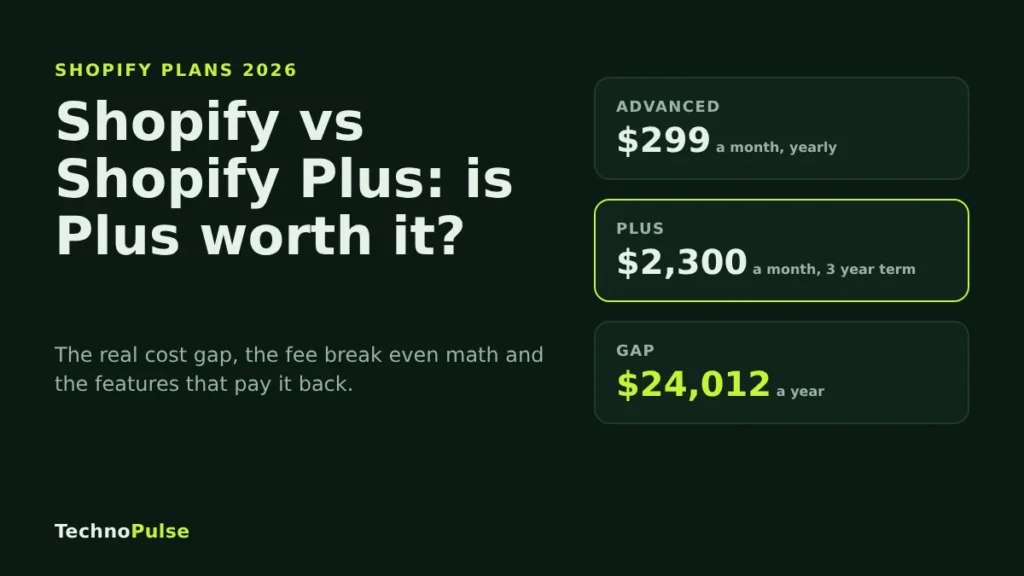
In the Shopify vs Shopify Plus decision, Plus is worth it when a feature only Plus unlocks will make you more money than the extra cost, which is about $24,000 a year more than Advanced at list prices. On payment fees alone, Plus rarely pays for itself until you sell somewhere between $6 million and $10 million a year online, so most brands under that line should upgrade for checkout control, B2B, expansion stores or scale, not for the lower rates.
I build and fix Shopify stores for DTC brands in the US, Europe and Australia, and the Plus question comes up on almost every call with a brand that has crossed seven figures. Most of the advice online says Plus starts to make sense around $1 million a year. That number sounds tidy, but when you run the fee math it does not hold up. This guide shows the real numbers, the features that matter, and a simple test to decide.
All prices below are Shopify’s US list prices, checked on 4 November 2026 on the Shopify pricing page and Shopify’s own Plus vs Advanced comparison. Rates vary by billing currency and Plus is quoted per merchant, so treat them as a starting point.
Shopify vs Shopify Plus at a glance
Shopify has four self serve plans: Basic, Grow, Advanced and Plus. For most growing brands the real comparison is Advanced against Plus, because Advanced is the top plan you can buy without a contract.
| What you get | Advanced | Plus |
|---|---|---|
| Price | $299 a month billed yearly, $399 billed monthly | From $2,300 a month on a three year term, $2,500 on a one year term |
| Online card rate with Shopify Payments | 2.5% + 30 cents | From 2.25% + 30 cents |
| Fee on third party gateways | 0.6% | 0.2% |
| Staff accounts | 15 | Unlimited |
| Inventory locations | 10 | Up to 200 |
| B2B catalogs | Up to 3 | Unlimited |
| Expansion stores | None | Up to 9 included |
| Checkout customization | Branding, plus apps on the thank you and order status pages | Full checkout customization with checkout blocks and extensions |
| Shopify Functions | Public apps only | Public and custom apps |
| GraphQL Admin API limit | 200 points a second | 1,000 points a second |
| Support | Enhanced 24/7 chat | Priority 24/7 phone and chat |
Two things are easy to miss. First, some larger Plus merchants also pay a variable platform fee based on revenue and business model, and Shopify does not publish the threshold, so you only learn it from a Plus quote. Second, Plus is a term contract, so the price you sign is the price you carry for one or three years.
The real cost of Plus vs Advanced
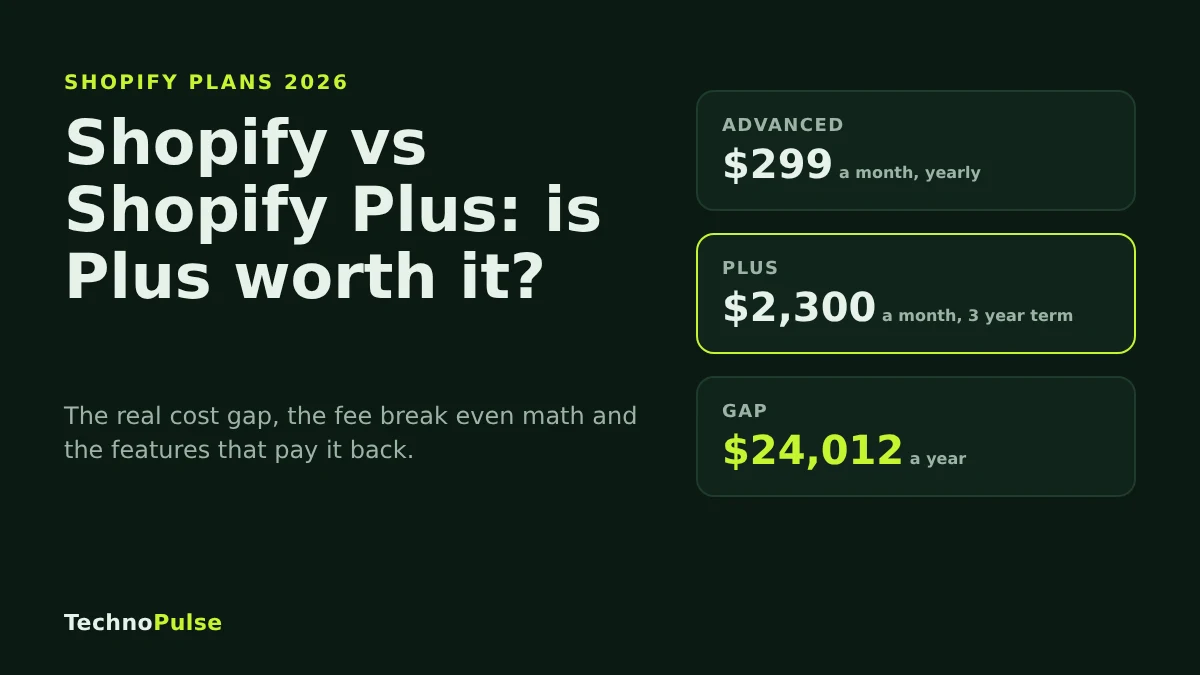
Compare like with like. Advanced billed yearly costs $3,588 a year. Plus on a three year term costs $27,600 a year. The gap is $24,012 a year. On a one year Plus term the gap is $26,412.
That is before any variable platform fee, and before the apps or development work you will want once Plus features are open to you. Budget for both. A Plus store that never uses its checkout or B2B features is just a more expensive Advanced store.
When do lower fees pay for Plus?
Here is the math most comparison posts skip. Plus saves money on payments in two ways:
- With Shopify Payments: the online card rate drops from 2.5% to a starting rate of 2.25%. That is 0.25 points, or $2,500 saved for every $1 million in online card sales.
- With a third party gateway: Shopify’s own fee drops from 0.6% to 0.2%. That is 0.4 points, or $4,000 saved for every $1 million processed. Your processor still charges its own fees on both plans.
Divide the $24,012 gap by those savings and you get the fee break even point:
- About $9.6 million a year in online card sales on Shopify Payments.
- About $6.0 million a year processed through a third party gateway.
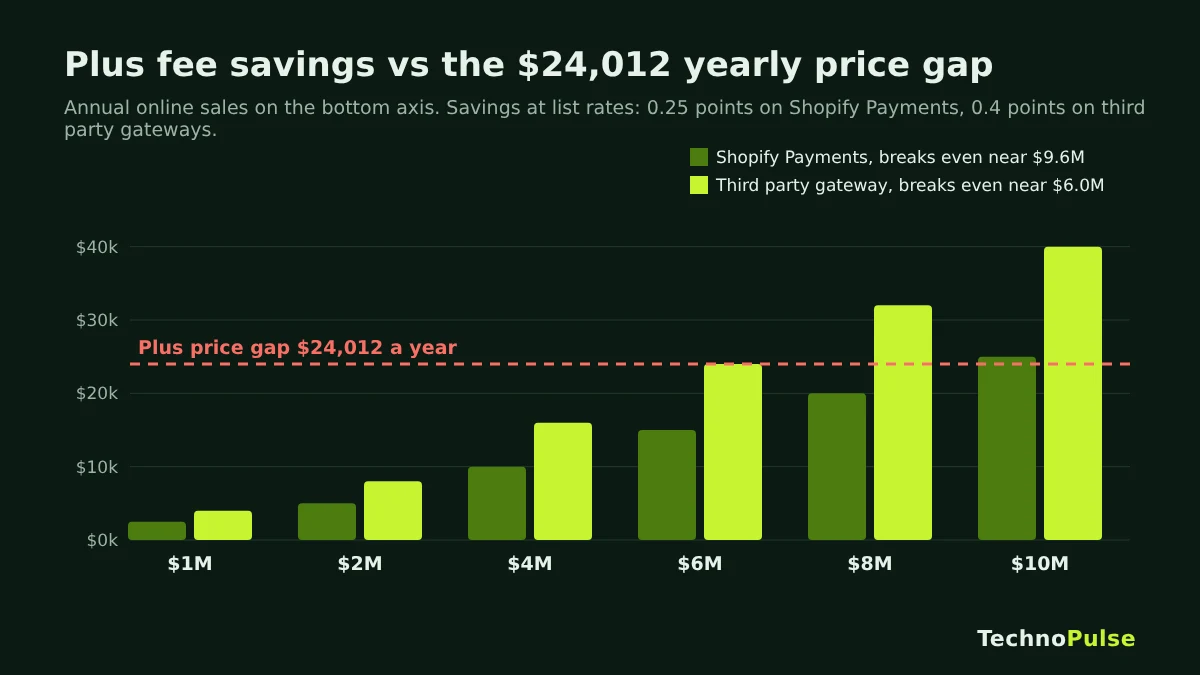
So at $1 million a year, Plus saves you roughly $2,500 to $4,000 in fees against a $24,000 price gap. At $3 million it saves $7,500 to $12,000. The fees close the gap only at much higher volume, or if your Plus quote has a card rate well below the 2.25% starting rate. If you run a third party processor today, my guide to Shopify third party payment gateways walks through the fee side in more detail.
This is why I tell founders not to upgrade for fees. Upgrade when a Plus feature has a clear revenue case.
Plus features that can earn back the cost
These are the features I see paying for Plus in practice. If none of them matter to your plan for the next 12 months, stay on Advanced.
Checkout customization
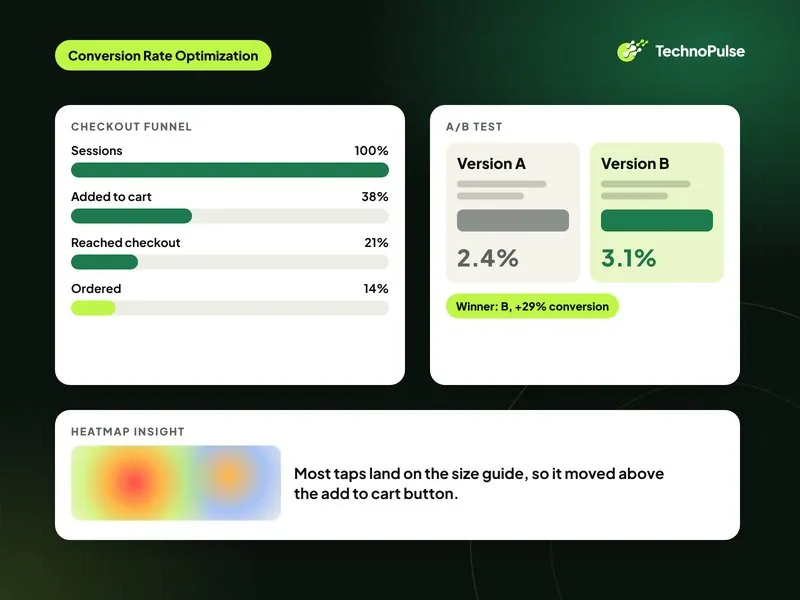
On Advanced you can brand the checkout and add apps to the thank you and order status pages. On Plus you can change the checkout itself with checkout blocks, extensions and custom Shopify Functions for things like shipping rules, discount logic and payment method rules. For a brand with a high checkout drop off, this is often the strongest reason to upgrade. Shopify’s own al.ive body case study reports a 47% conversion increase on Plus, but your result depends on what is broken in your checkout today. Measure your checkout completion rate first, then decide. Our Shopify CRO team starts every audit with that funnel.
Expansion stores for new markets
Plus includes up to 9 expansion stores. If you sell in the US, the UK, the EU and Australia with different catalogs, prices, languages or fulfilment, separate stores can be cleaner than forcing everything into one store with Markets. Each extra store on a lower plan would be its own paid subscription.
B2B and wholesale
Every plan now has basic B2B: companies, catalogs, net payment terms and self serve ordering. Advanced caps you at 3 B2B catalogs. Plus removes that cap and adds deposits, partial payments and catalogs assigned to specific companies and locations. If wholesale is a real channel for you, this alone can justify the upgrade.
Scale and operations
- Unlimited staff accounts, where Advanced stops at 15.
- Up to 200 inventory locations, where Advanced stops at 10. Plus includes POS Pro for the first 20 locations.
- Five times the GraphQL Admin API limit, which matters when your ERP, 3PL or PIM syncs often.
- High volume checkout and bot protection for big launches. Shopify says its checkout is load tested for more than 10,000 checkouts per minute.
- Custom apps that use Shopify Functions, so your developer can build store specific logic without a public app.
- Priority phone support when something breaks during a sale.
Signs you have outgrown Advanced
Shopify’s own upgrade guide says there is no universal revenue threshold for Plus. I agree. Revenue is a weak signal on its own. These are the signals I look for instead:
- All 15 staff accounts are in use and people share logins.
- You need checkout changes that Advanced cannot do, such as custom fields, shipping rules or payment rules.
- Three B2B catalogs are not enough for your wholesale price lists.
- You plan to launch a second region with its own catalog, prices or language.
- Big drops or launches put checkout at risk from bots or traffic spikes.
- Your integrations hit API limits or need manual fixes every week.
- Your retail footprint is getting close to 10 locations.
If two or more of these are true and each has a revenue number attached, Plus is probably worth pricing out.
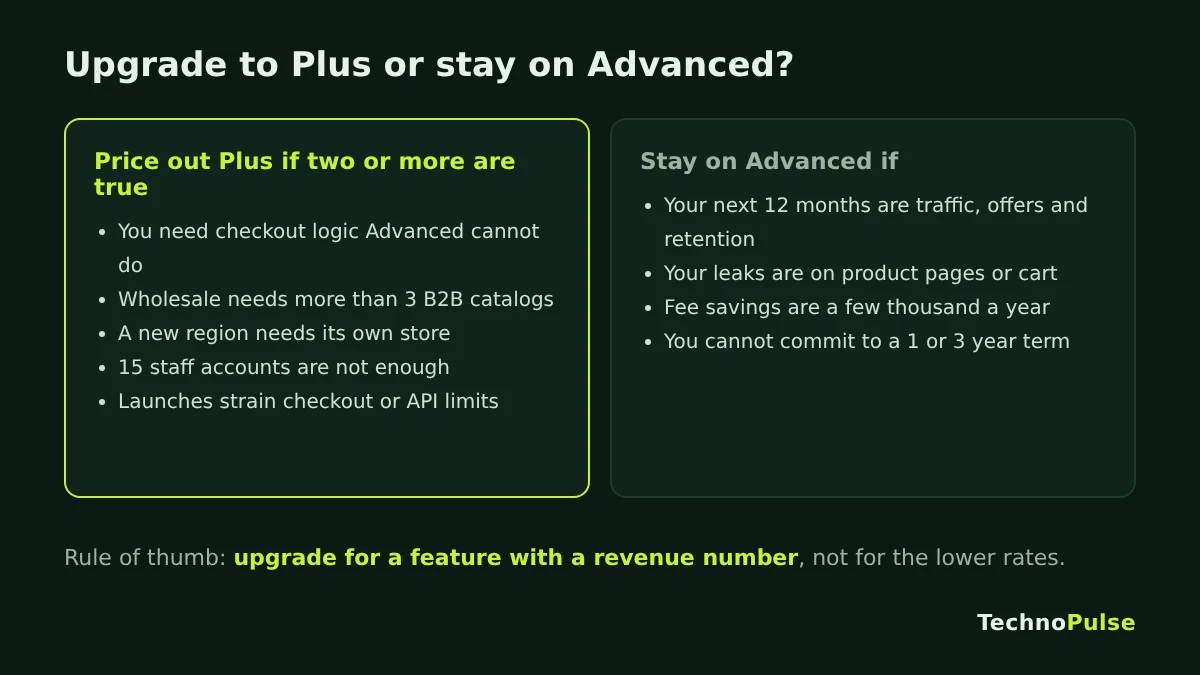
When to stay on Advanced
- Your growth plan for the next year is traffic, offers and retention, not checkout logic or new stores.
- Your conversion rate problems are on the product page or cart, which Advanced can already fix. Check what a good Shopify conversion rate looks like for your category before blaming the plan.
- You sell under a few million a year and use Shopify Payments, so the fee savings are small.
- You are not ready to commit to a one or three year term.
Staying on Advanced is not a failure. I would rather see a brand spend the $24,000 on fixing the product page and email flows, then upgrade when a Plus feature has a clear payback.
How to decide in 5 steps
- Get your numbers. Pull 12 months of online sales, the share paid by card through Shopify Payments, and any third party gateway volume.
- Work out the fee savings. Multiply card sales by 0.25% and third party volume by 0.4%. That is your best case fee saving at list rates.
- Price the gap. Take the Plus price on the term you would sign, minus your current Advanced cost, plus any variable fee and new app or build costs.
- Put a number on each Plus feature you would use. For example, a checkout fix that lifts completion by a set amount on your current checkout volume, or a new region with a realistic first year revenue.
- Upgrade only if savings plus feature value clear the gap with margin. If it is close, use the Plus trial first.
The Shopify Plus trial
Shopify offers a paid Plus trial to eligible merchants for $399 a month in the US, for one to two months depending on your store. Per the Shopify Help Center, the trial does not include expansion stores, unlimited staging stores or bot protection, and B2B is limited to a blended storefront. If you take no action, the store moves onto a full Plus plan when the trial ends, so set a reminder and decide before that date.
The trial is a good way to test checkout customization against your real traffic. It is not a good way to test expansion stores, because they are not available in it.
Upgrading to Plus: what changes on your store
Moving from Advanced to Plus does not move your store. Your theme, products, customers, orders and URLs stay where they are, so there is no SEO risk from the plan change itself. The work starts after the upgrade: building checkout extensions, setting up B2B, cloning a store for a new market, or connecting systems at higher API limits. Plan that work before you sign, so the contract starts paying back in the first month.
If you are coming to Shopify Plus from another platform, that is a full migration with redirects and data mapping. Our Shopify migration services page covers how we protect rankings during that move. Moving from WooCommerce? Start with our WooCommerce to Shopify migration guide.
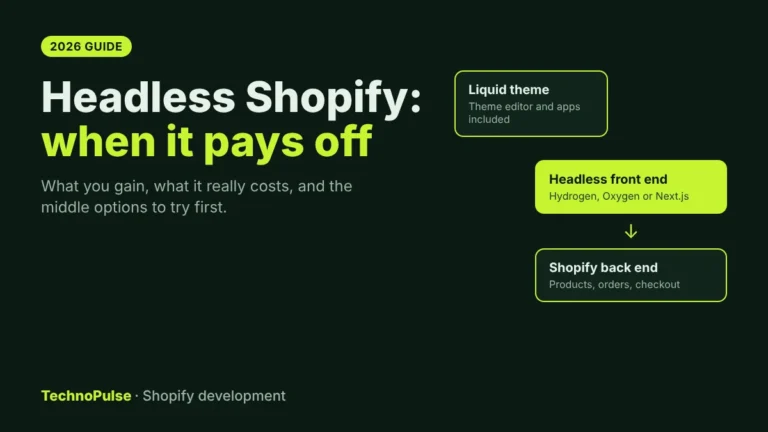
Also weighing a headless storefront on Plus? Read when headless Shopify pays off before you budget for it, because the build is the smaller part of the cost.
If Plus is not the bottleneck and you need custom features instead, read the Shopify custom development features that lift conversions.
FAQ
How much does Shopify Plus cost in 2026?
Shopify lists Plus from $2,300 a month on a three year term and $2,500 a month on a one year term in the US. Some larger merchants also pay a variable platform fee based on revenue and business model, which you only see in a Plus quote.
At what revenue should I upgrade to Shopify Plus?
There is no fixed number. On fees alone, Plus pays for itself at about $9.6 million a year in online card sales on Shopify Payments, or about $6 million through a third party gateway, at list rates. Below that, upgrade only if Plus features such as checkout customization, B2B or expansion stores will earn more than the price gap.
What is the difference between Shopify Advanced and Shopify Plus?
Plus adds full checkout customization, custom apps with Shopify Functions, up to 9 expansion stores, unlimited staff and B2B catalogs, up to 200 locations, five times the GraphQL API limit, bot protection and priority phone support. It also has lower payment rates and a term contract.
Is there a Shopify Plus free trial?
No, it is a paid trial. Eligible merchants can try Plus for $399 a month in the US for one to two months. Some features, including expansion stores and bot protection, are not available during the trial.
Do I lose my SEO when I upgrade to Shopify Plus?
No. Upgrading changes your plan, not your store. Your domain, URLs, theme and content stay the same, so rankings are not affected by the upgrade itself.
Get a free Plus readiness audit
TechnoPulse is a Shopify Partner and Klaviyo Partner that has helped 200+ DTC brands since 2021, rated 5.0 on Google from 40+ client reviews. If you are weighing Plus, request a free store audit. We will run the fee math on your real numbers, check which Plus features have a payback for your store, and tell you plainly whether to upgrade now or wait. If you do upgrade, our Shopify Plus development team can build the checkout, B2B and expansion store work. For a sense of what store work can return, see our DOD Outdoors case study, where online sales grew 5.8x and conversion rose 49 percent in year one.

Founder and CEO of TechnoPulse. Leads Shopify development, CRO and growth strategy for DTC brands in the US, Europe and Australia.
More about Haroon