
How to Make a Website to Sell Products in 2026
How to make a website to sell products in 9 steps, with real 2026 costs, the checkout fixes that stop lost sales and how to get your first visitors.
 Haroon Ali ShahMay 30, 2025 · 10 min read

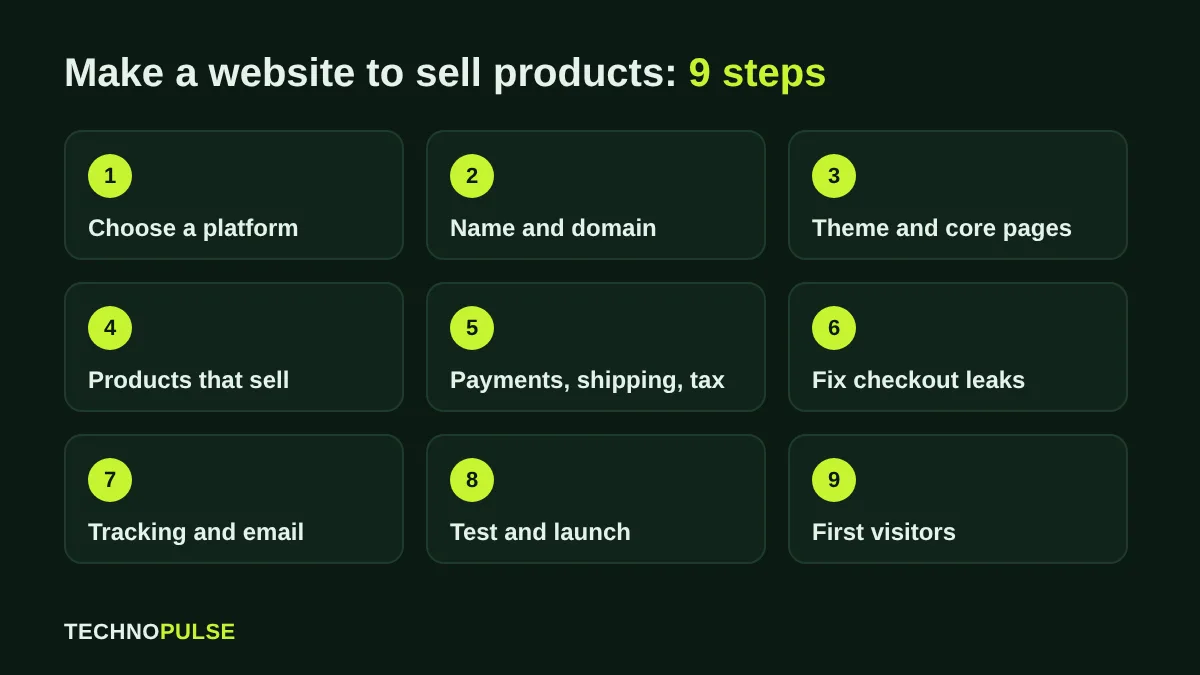
To make a website to sell products, pick a hosted ecommerce platform such as Shopify, buy a domain, add a theme, upload products with clear photos and prices, then switch on payments, shipping and taxes before you test and launch. Most founders can do a simple version in a weekend; the part that decides whether it actually sells is the product page, the checkout and how you bring the first visitors in.
I have built and fixed Shopify stores for more than 200 DTC brands since 2021, and the same mistakes show up on almost every new store. This guide walks through the nine steps in the order I use with clients, what each one really costs, and the checks that stop a new store from leaking sales on day one.
Key takeaways
- A hosted platform is the fastest route: Shopify Basic is 29 USD a month billed yearly or 39 USD billed monthly, with hosting, security and checkout included.
- Write your shipping costs and return policy before you build. Extra costs are the top reason shoppers leave checkout (40 percent in Baymard’s research).
- Every product needs real photos, a clear price, delivery time and reviews on the same screen as the Add to cart button.
- Set up email capture and an abandoned checkout email before launch, not after.
- Your first free traffic source is Google: connect the Google and YouTube app so products can show in free listings.
What you need before you build
A store is easier to build when three decisions are already made. First, the product list: names, variants (size, colour), and how many you have in stock. Second, your numbers: product cost, the price you will charge, what shipping costs you per order and whether you will offer free shipping above a set order value. Third, your policies: returns window, who pays return shipping, and how fast you ship. These answers feed straight into product pages, shipping settings and the checkout, and changing them after launch means editing everything twice.
Step 1: Choose the right platform
You have two broad options. A hosted platform (Shopify, Wix, Squarespace, BigCommerce) runs the servers, security and checkout for you for a monthly fee. A self hosted option (WordPress with WooCommerce) gives you more control, but you buy and look after hosting, updates, backups and security yourself.
| Option | Best for | What you manage |
|---|---|---|
| Shopify | Brands that want to sell seriously and grow: strong checkout, large app ecosystem, built in Google, Meta and email channels | Theme, apps, products, settings |
| WooCommerce | Teams already on WordPress who want full control of code and content | Hosting, updates, plugins, security, backups, speed |
| Wix or Squarespace | A small catalogue added to a content or portfolio site | Templates and products; fewer selling features |
For most product brands I recommend Shopify because the checkout is already fast and trusted, and you do not lose weekends to server problems. If you already run a large WordPress site, WooCommerce can make sense, but budget for maintenance from the start. Our Shopify development team builds on Shopify for exactly this reason.
Step 2: Pick a name and buy a domain
Choose a short name that is easy to spell after hearing it once, check that the .com (or your country domain) and the social handles are free, and buy the domain. You can buy it through Shopify so it connects automatically, or from a registrar and point it to your store (Shopify explains both routes in its domains help). Use one main domain and redirect the others to it, so Google only sees one version of your store.
Step 3: Choose a theme and set up the core pages
Start with a fast, well supported theme rather than the prettiest one. On Shopify, a free theme from the Shopify Theme Store is a solid base; paid themes add layout options, not sales. Set your brand colours and fonts once in the theme settings, upload a logo, then create these pages:
- Home page that says what you sell and who it is for in one line, with your best sellers below it
- Collection pages grouped the way shoppers think (by use or problem, not only by product type)
- Product pages (see Step 4)
- About, Contact, FAQ, Shipping and Returns pages
- Privacy policy and terms (Shopify can generate starter templates; have them checked for your market)
Keep the menu to five or six links. Every extra choice in the header is a reason not to click the one that matters.

Step 4: Add products that actually sell
The product page is where the sale is won or lost. For each product, add:
- A title that uses the words people search for (for example “Waterproof hiking backpack 30L”, not a code name)
- Five to eight real photos: product on white, in use, close up details, scale next to a person or object
- Price, variant options and stock status that update without reloading
- A short opening line on the main benefit, then bullet points for specs and sizing
- Delivery time and returns in one line near the Add to cart button
- Reviews with photos as soon as you have them
Write your own descriptions. Copying the supplier text creates duplicate content that Google has already seen on other stores. Shopify themes already add product structured data, which helps Google show price, stock and ratings in results (see Google’s product structured data guide).
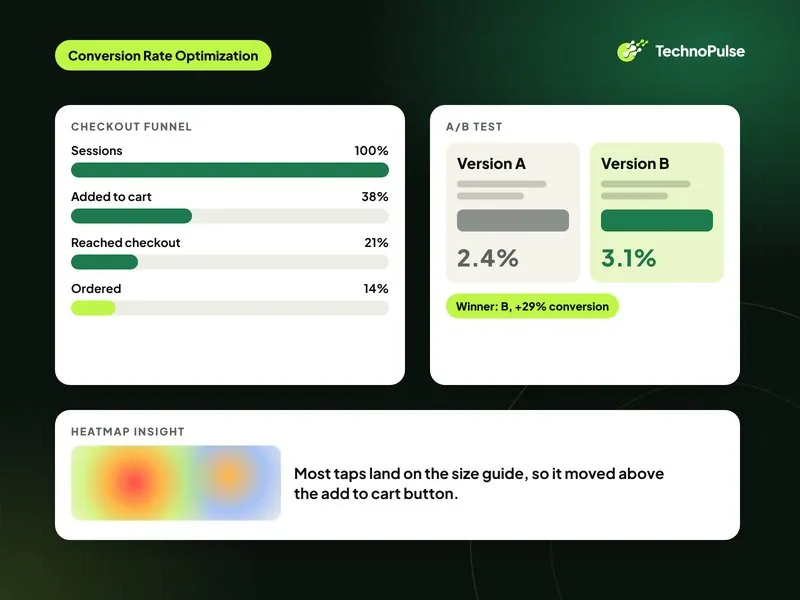
Not sure what a good result looks like once you are live? Our guide to what a good Shopify conversion rate is gives the 2026 benchmarks, and our Shopify CRO agency team can audit your product pages.
Step 5: Set up payments, shipping and taxes
Payments. On Shopify, turn on Shopify Payments if it is available in your country. It accepts cards, Apple Pay, Google Pay and Shop Pay in one setup. On the Basic plan the online card rate in the US is 2.9 percent plus 30 cents, and using a third party payment provider instead adds a 2 percent Shopify fee on Basic, according to Shopify’s pricing page. Add PayPal as a second option because some shoppers only trust that button.
Shipping. Create shipping zones for the countries you will serve, then choose flat rates, carrier calculated rates or free shipping above a threshold. Set the threshold a little above your average order value so it nudges people to add one more item.
Taxes. Shopify can calculate sales tax or VAT, but you still need to register where the law requires it. Speak to an accountant in your market before launch.
Step 6: Fix the checkout leaks before launch
About 70 percent of online shopping carts are abandoned. Baymard Institute puts the documented average at 70.22 percent across 50 studies. When shoppers explain why they left during checkout, surprise costs lead by a wide margin.
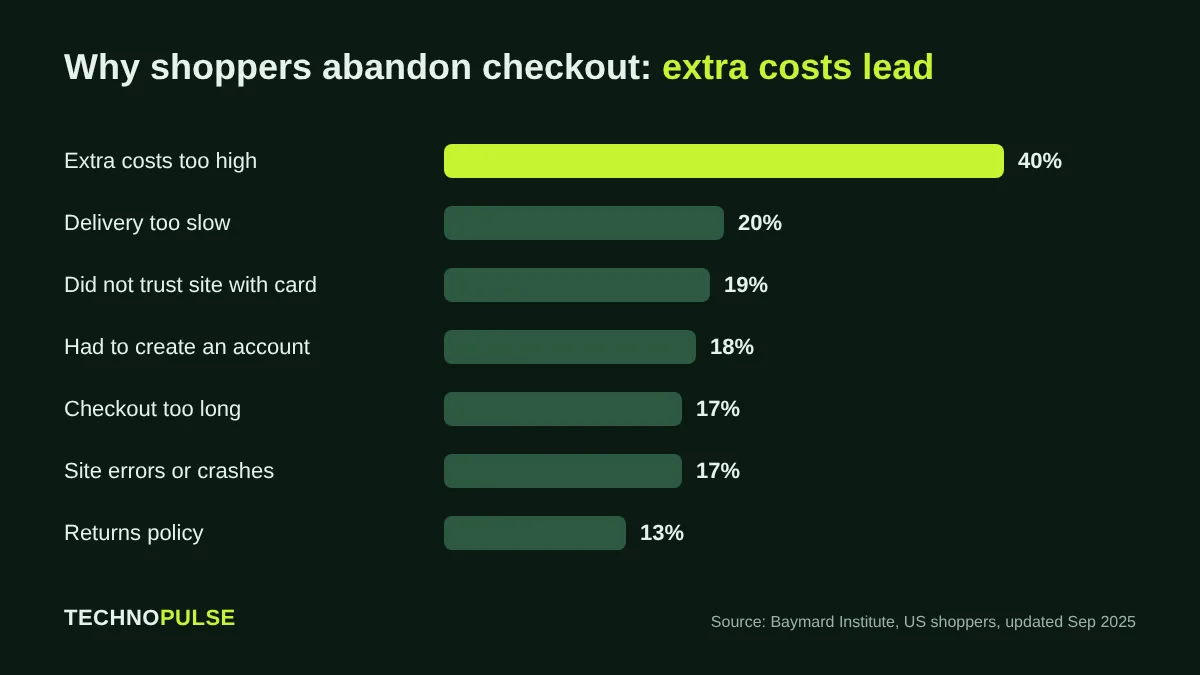
Each reason has a simple fix on a new store:
- Extra costs (40 percent): show shipping costs on the product page and in the cart, not for the first time at checkout.
- Slow delivery (20 percent): state the delivery window next to the price.
- Card trust (19 percent): use the platform checkout, show accepted payment logos and a real contact address.
- Forced account (18 percent): allow guest checkout. On Shopify, keep customer accounts optional.
- Long checkout (17 percent): turn on express buttons (Shop Pay, Apple Pay, PayPal) and remove optional fields.
Our Shopify CRO checklist covers 30 more fixes once you have traffic to test them on.
Step 7: Set up tracking, email capture and the first flows
Before you spend a dollar on traffic, make sure you can see what happens. Connect Google Analytics 4 and the Google and YouTube app, add the Meta pixel through the Facebook and Instagram app, and check that a test order shows up in each. Then set up email:
- A signup form with a clear reason to join (early access, a guide, or a first order offer)
- A welcome series of three emails
- An abandoned checkout email, which Shopify includes, or a fuller flow in Klaviyo set up by a Klaviyo email agency (see our abandoned checkout email guide)
- A post purchase series that asks for a review and earns the second order (how we build it)
Email is where a young store makes its margin, because you pay for a visitor once and can sell to them again for free. Our physician led supplement client MyProgressMD now gets 85 percent of its orders from returning customers through this kind of retention setup.
Step 8: Test everything, then launch
Place a real order with a real card on your phone, then refund it. Most new store problems only show up on mobile. Run through this list:
- Every menu link and button works on mobile and desktop
- Prices, variants and stock show correctly
- Shipping rates appear for every zone you serve
- Order confirmation and shipping emails arrive and use your branding
- Pages load quickly on a phone (check in PageSpeed Insights against Core Web Vitals, and see our guide on how to speed up a Shopify store)
- The store password is removed and the domain points to the live store
Step 9: Get your first visitors
A store with no traffic makes no sales, so plan the first month before you launch.
Free Google listings. Connect the Google and YouTube app on Shopify and your products can appear in the Shopping tab, Search, Images, Lens and YouTube at no cost. Google’s Merchant Center help explains the eligibility rules.
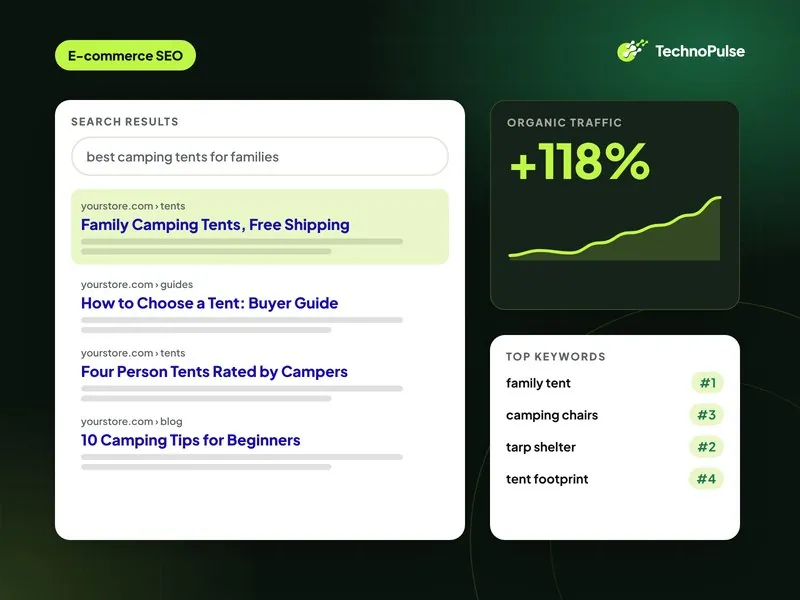
SEO basics. Give every product and collection a unique title and meta description with the words shoppers use, add descriptive alt text to images, and write a few genuinely useful guides around your product. Our ecommerce SEO team starts every new store with these foundations.
Launch in a busy season? If you go live before Black Friday, work through our Shopify Black Friday checklist first.
Your own network and social. Tell everyone who already knows you, post your build and launch story, and send early buyers a review request.
Paid ads, carefully. Start small on Meta or Google with your best product, and only scale what makes money after shipping and fees. Read how to increase ecommerce sales for the full growth plan.
What it really costs to make a website to sell products
| Item | Typical cost |
|---|---|
| Shopify Basic plan | 29 USD a month billed yearly, 39 USD billed monthly |
| Card processing (Shopify Payments, US, Basic) | 2.9 percent plus 30 cents per online order |
| Domain | A small yearly fee, depending on the extension |
| Theme | Free, or a one time fee for a premium theme |
| Apps (reviews, email, upsells) | Many have free plans; budget for paid plans as you grow |
| Photography | Your phone and good daylight to start; a studio later |
Prices are from Shopify’s pricing page in October 2026 and change over time, so check before you sign up.
Build it yourself or hire an agency?
Build it yourself if you have a small catalogue, a simple shipping setup and time to learn. Bring in help when you are moving from another platform and cannot lose your Google rankings, when you have hundreds of products or complex variants, or when you already have traffic and the store is not converting. When outdoor gear brand DOD Outdoors moved to a rebuilt Shopify store with CRO and email work, online sales grew 5.8 times and conversion rose 49 percent (read the case study). If you are moving platforms, see our Shopify migration services.
Planning a bigger custom build instead? See our overview of ecommerce website development in 2026: platforms, costs and the build process. For US brands comparing agencies, our guide to custom ecommerce website development in the USA covers pricing and when custom work is worth it.
FAQ
How much does it cost to make a website to sell products?
On Shopify, the main fixed cost is the plan: Basic is 29 USD a month billed yearly or 39 USD billed monthly. Add a domain, any paid apps or theme, and card fees of 2.9 percent plus 30 cents per online order on Basic in the US.
Can I make a website to sell products for free?
You can start a free trial, and WordPress with WooCommerce is free software, but a real store always has some costs: hosting or a plan, a domain and payment processing fees. Free website builders usually limit selling features or add their branding.
What is the best website builder to sell products?
For most product brands, Shopify, because hosting, security and a fast checkout are included and it connects to Google, Meta and email tools out of the box. WooCommerce suits teams already invested in WordPress who want full control.
How long does it take to build a website to sell products?
A simple store with a few products can go live in a weekend. A custom designed store with a larger catalogue, migrations and integrations usually takes several weeks.
Do I need coding skills to build an online store?
No. Shopify, Wix and Squarespace are built for people who do not code. Code only matters when you want a custom layout or feature the theme does not offer.
Already live and not getting sales? We record a review of your store and send you the 10 fixes worth the most. Claim your free store audit.
Related guides
Founder and CEO of TechnoPulse. Leads Shopify development, CRO and growth strategy for DTC brands in the US, Europe and Australia.
More about Haroon